OnlyFans Photography Tips: Pro Content on a Phone
Aruna Talent Team
Creator economy experts · $10M+ annually total creator revenue
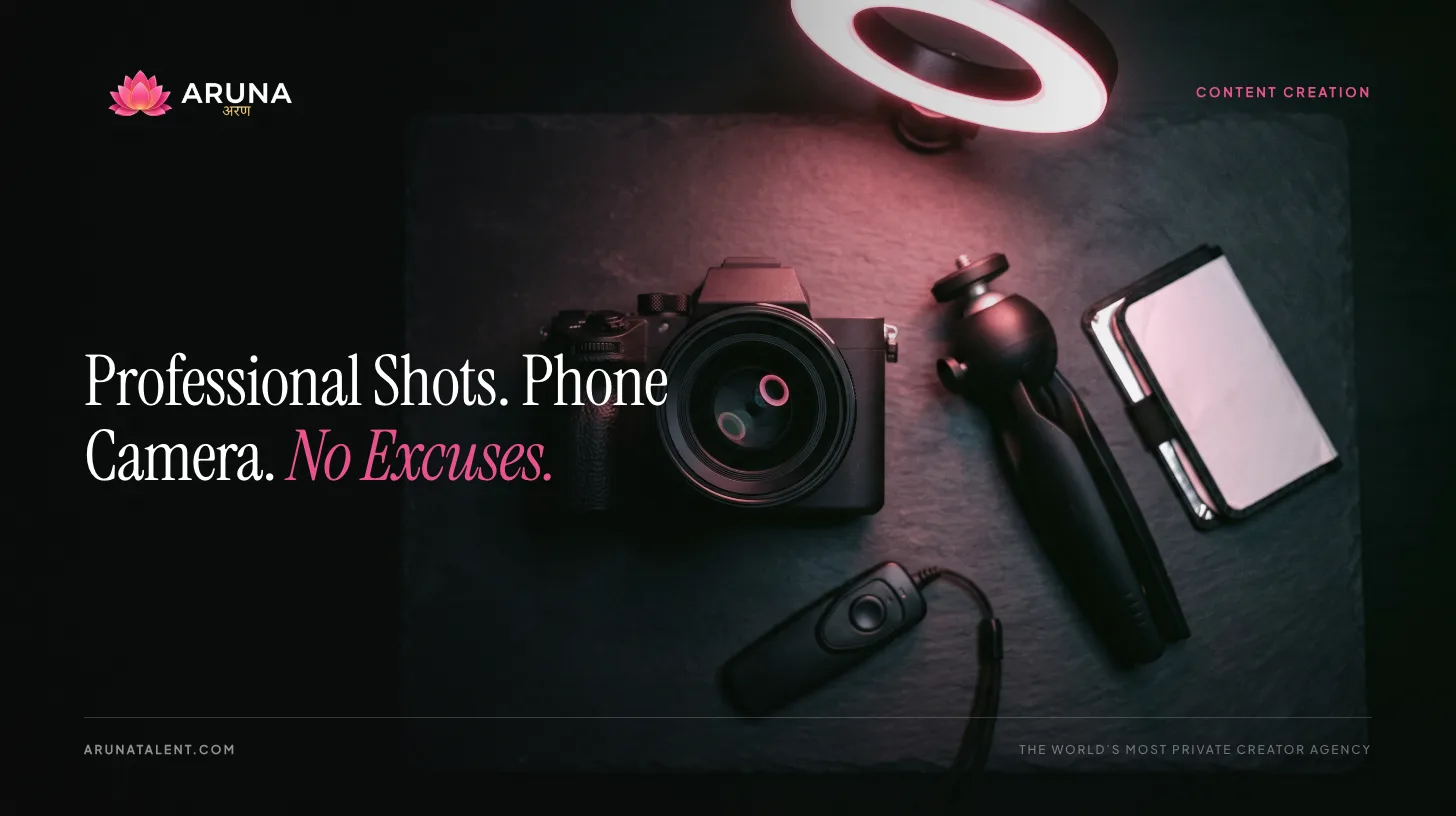
The technical floor for OnlyFans content photography has never been lower. Modern smartphones shoot better than professional cameras cost $10,000 a decade ago. The difference between content that looks amateur and content that converts well has almost nothing to do with the camera body. It has everything to do with three variables: lighting, framing, and consistency.
This guide is practical and specific. No gear lists of expensive equipment you don’t need. No vague advice about “being authentic.” Real information about what actually determines whether your photos look professional, which camera settings matter, which editing apps are worth learning, and when it’s worth hiring someone else to do the shooting.
The Three Things That Actually Matter
Before getting into settings and apps, understand the hierarchy. If you optimize in this order, everything else becomes detail.
1. Lighting (Most Important)
Light is 70% of photography. The best camera in the world with bad lighting produces bad photos. A smartphone with excellent lighting produces professional results. This is not a slight exaggeration. It’s the single most impactful variable in your content quality and the one most creators underinvest in.
What good lighting does: Reveals texture and dimension, flatters skin tones, creates the depth that makes images look three-dimensional rather than flat, and eliminates the muddy, grainy quality that comes from cameras compensating for inadequate light by cranking up ISO.
What bad lighting does: Creates harsh shadows under eyes and chin, washes out skin tone, introduces color casts, and forces your camera into high-ISO territory that produces visible grain.
2. Framing and Composition
Once your light is right, framing determines whether the image is compelling. Framing includes: what’s in the frame and what isn’t, how you’re positioned within the frame, the relationship between subject and background, and the visual flow of the image.
3. Consistency
Consistency is what transforms individual good photos into a brand. It’s the reason some pages feel premium at first glance while others look scattered even when individual photos are technically well-shot. Consistent lighting setup, consistent color palette in editing, consistent content types: these create the visual language that makes your page identifiable and attractive.
Lighting: Practical Setup
Natural Window Light
The best free light source available. Position yourself facing the window, not with the window behind you. Window behind you means your face is in shadow. Window in front of you means your face is lit by the largest, softest light source in your home.
Time of day matters: Overcast days produce the most flattering natural light (the clouds act as a giant diffuser). Direct midday sunlight through a window can be harsh, so use a sheer curtain to diffuse it. Golden hour (the hour after sunrise or before sunset) produces warm, flattering light if you have a window with the right orientation.
The limitation: Natural light changes constantly. If you’re shooting over multiple sessions and want consistency, you need a controllable artificial light source.
Ring Light
The entry-level artificial light for content creators. A 12–18 inch ring light positioned at face level and approximately 2–3 feet away produces even, flattering, catchlight-creating illumination. Ring lights run $30–$60 and are the correct first investment for any creator who shoots regularly indoors.
Ring light limitations: The circular catchlight in the eyes is identifiable and can look “content creator” rather than professional. For editorial-style content, a softbox or LED panel with a diffuser looks more polished.
Softbox / LED Panel Setup
The professional upgrade. A single softbox positioned at 45 degrees in front of you (the classic Rembrandt position) creates dimensioned, flattering light that looks distinctly more professional than ring light. A basic softbox kit runs $60–$120. A second, smaller fill light on the opposite side ($30–$60) eliminates harsh shadows and completes the setup.
The two-light portrait setup: Main light at 45° from the front, slightly above eye level. Fill light at 45° from the opposite side at 50–70% of the main light’s intensity. This is the standard professional portrait configuration and you can replicate it for under $150 total.
Key Principle: Never Backlight Yourself
If your light source (window, lamp, ring light) is behind you, you are a silhouette against a bright background. Your camera will expose for the bright background and your face will be dark and underexposed. Position every light source in front of you.
Phone Camera Settings
iPhone
Enable ProRAW: Settings > Camera > Formats > Apple ProRAW (iPhone 12 Pro and later). ProRAW files are larger but contain far more data for editing. You have significantly more latitude to adjust exposure, shadow detail, and color in post without quality degradation. For OnlyFans content that you’ll be editing, this matters.
Exposure lock: Tap and hold on your face or subject in the camera app until you see “AE/AF Lock.” This prevents the camera from continuously re-exposing as you move, which otherwise produces inconsistent results across a shoot.
Zoom: Use 1x (standard) or 2x (telephoto lens, on Pro models). Never use digital zoom, which degrades image quality.
Portrait mode: Useful for creating background blur that separates subject from background. The depth effect occasionally misfires around hair or complex edges, so check before using.
Android
Use Pro or Manual mode. Every flagship Android phone (Samsung, Google Pixel, OnePlus) includes a Pro camera mode that gives you manual control. The settings that matter:
- ISO: Keep it at or below 400 in good lighting. Higher ISO = more grain. If you’re in a well-lit setup, ISO 100–200 produces the cleanest files.
- Shutter speed: At or above 1/100 second to avoid motion blur in handheld or moving shots. In low light, slowing the shutter adds brightness but adds blur risk.
- White balance: Set it manually to match your light source rather than letting the camera auto-guess. “Daylight” or a specific Kelvin value that matches your light (ring lights are typically 5500–6500K) produces consistent, accurate color across a session.
Google Pixel-specific: The Pixel’s computational photography (Night Sight, portrait processing) is exceptional. The standard auto mode on Pixel 8 and later produces results that often outperform manual settings unless you’re a confident manual shooter.
The Editing Apps Creators Actually Use
Lightroom Mobile (Adobe)
The professional standard. Free tier is substantial. Features that matter:
- Presets: Create or import a preset (saved set of editing adjustments) and apply it to every photo in a session with one tap. This is the primary consistency tool: every photo from your shoot gets the same tonal and color treatment.
- Selective adjustments: Paint adjustments onto specific parts of an image (brighten just the face, add warmth to just the background) without affecting the whole image.
- Healing brush: Remove distracting elements from backgrounds or skin.
- Sync edits: Apply the same adjustments to an entire batch of photos simultaneously.
Lightroom Mobile’s free tier is sufficient for most creators. The paid tier ($10/month) adds cloud sync with desktop Lightroom, which matters if you do final editing on a computer.
VSCO
Strong preset library, clean interface, fast workflow. Less granular control than Lightroom but faster for creators who want a consistent aesthetic filter applied quickly. The in-app film emulation presets (A-series, C-series) are genuinely well-regarded.
VSCO is a good choice if you want a consistent aesthetic look without the learning curve of Lightroom. It’s less flexible for heavy editing.
Snapseed
The best free editing app with standout selective adjustment capabilities. The Selective tool (double-tap a specific area of the photo, then adjust brightness/contrast/saturation for just that area) is class-leading. The Healing tool removes objects cleanly. The Curves tool gives granular tonal control.
Snapseed is particularly useful as a complement to VSCO or for creators who don’t want to pay for Lightroom. The selective adjustment capability is better than most paid alternatives.
Apps to avoid: Face-altering apps, AI body modification tools, and apps that apply automatic “beautification” filters. These violate platform terms on adult content sites and the results read as heavily filtered in ways that reduce trust with subscribers who meet the unedited reality in video content.
Background and Set Design on a $0–$100 Budget
Your background communicates as much as your lighting does. A busy, cluttered, or ugly background undermines technically good photography.
The $0 Option
Clean, minimal, consistent. A plain wall in the most flattering color you have available: white and off-white are neutral, muted warm tones are flattering. Remove everything from the background that doesn’t need to be there. Good natural light + plain wall + good framing = professional-looking content at zero additional cost.
The $20–$50 Option
A backdrop. Seamless paper backdrops (the kind used in professional photography studios) are available for $20–$40 from Amazon, and a background stand costs another $20–$30. White, gray, black, and warm-toned seamless papers are the most versatile. A backdrop eliminates background distraction entirely and creates the “studio look” that reads as premium content.
Alternatively: fabric curtains in linen or velvet texture create beautiful, affordable backgrounds. A single piece of fabric draped behind you costs $15–$30 and photographs far better than a messy room.
The $50–$100 Option
Intentional set dressing. Pick a corner of your space, add 2–3 intentional props (a lamp with warm bulb, a plant, clean bedding in a specific color palette), and shoot in that location consistently. The “bedroom aesthetic,” “living room lifestyle,” or similar environments look intentional when you’ve chosen the elements deliberately rather than shooting in front of whatever is there.
The principle: You’re not trying to make your home look like a professional studio. You’re trying to make the viewer’s eye go to you, not to the environment. Clean, minimal, intentional beats complicated and decorated every time.
Angles, Poses, and Learning Them Without a Photographer
The Angles That Work
Slightly above eye level: Camera positioned slightly above the subject and angled downward is broadly flattering. It elongates the neck, opens the eyes, and creates a natural slimming effect. This is why portrait photographers typically position the camera slightly above their subjects.
45-degree body angle: Facing the camera directly at 90 degrees looks flat. Turning your body 45 degrees to the camera while keeping your face toward it creates depth and a more dynamic, dimensional silhouette.
Avoid low-angle shots of your face: Camera below eye level and angled upward creates unflattering compression of facial features in most cases. This angle works for body shots but requires care for facial shots.
Learning Poses
The practical approach: reference photography. Create a folder of images (from fashion photography, editorial shoots, beauty campaigns) that represent the aesthetic you’re building toward. Study what the poses, angles, and compositions have in common. Then practice them with your phone camera or a mirror.
Posing is a learnable skill. A day of self-directed practice with your camera, referencing images you’ve collected, produces more rapid improvement than months of improvising without reference.
The self-tape method: Record yourself practicing poses on video, then watch it back critically. You’ll immediately identify what reads well on camera versus what felt good but doesn’t translate.
Building a Consistent Visual Style Guide
Your visual style guide is the document (or folder) that defines your brand’s look:
- Color palette: 3–5 colors that appear consistently in your content: backgrounds, props, wardrobe choices. Warm neutrals, cool minimalist, high-contrast dark, whatever is yours. Pick it deliberately and use it consistently.
- Editing preset: Your signature Lightroom or VSCO preset that you apply to every photo. Consistent editing is the fastest path to a cohesive grid aesthetic.
- Lighting setup: Documenting your exact light position and settings so you can replicate it session to session.
- Content types and ratios: What percentage of your posts are close-up versus full-body, solo versus lifestyle, explicit versus tease. Decide in advance rather than posting reactively.
Once you have a style guide (even a basic one), your content decisions become faster and your output looks more cohesive. It’s the visual equivalent of having a content calendar.
Photo vs. Video Content: Revenue Ratios
Photo content and video content serve different revenue functions on OnlyFans.
Photos: Higher volume, faster production, lower barrier to post. Better for subscription feed cadence, keeping your feed active with daily or near-daily posts. Lower per-piece PPV revenue.
Video: Lower volume, higher production time, higher PPV value. A 3–10 minute video commands $5–$30+ as PPV where a photo set might command $5–$10. Videos drive higher subscriber retention metrics.
The performing ratio: Most high-performing OnlyFans accounts post photos 3–5x per week and video 1–2x per week. Photos maintain feed activity and subscription value. Videos provide high-ticket PPV and the deeper content that drives retention and word-of-mouth.
See the content calendar guide for how to structure this across a posting schedule, and content ideas for keeping the shoot calendar full.
When It’s Worth Hiring a Photographer
Photography hire makes sense when:
- You want a portfolio of polished promotional content for your profile header, bio, and paid promotion creatives
- You’re launching a rebrand or new aesthetic direction
- You want editorial-quality images that exceed what self-shooting can reliably produce
What to expect: A professional lifestyle or boudoir photographer typically charges $150–$500 for a 2-hour shoot and delivers 50–100 edited images. Find photographers who have adult or boudoir portfolio work. Not all photographers are comfortable with this content, and the ones who aren’t produce worse results.
How to find them: Search specifically for “boudoir photographer” or “adult content photographer” in your city. Review their portfolio for aesthetic compatibility. Confirm their comfort with your content type explicitly before booking.
The model that works best: Self-shot content 4–5 days per week as your subscription feed and operational content. Professional shoot quarterly for promotional and portfolio material. The professional content raises the perceived quality floor of your entire page.
Also worth reading: our webcam modeling equipment guide covers video-specific hardware that complements your photo setup.
The Production Foundation of a High-Earning Page
Content quality is the subscription-retention variable that compounds over time. Subscribers who join for a promotion stay because of consistent quality. The top-earning creators at Aruna Talent are not necessarily producing more content. They’re producing better content more consistently, because they’ve invested in the production fundamentals that make each session efficient and each output strong.
The phone you already own is sufficient. The investment is in learning what matters (light, framing, consistency) and in the $100–$200 of gear that makes those things achievable every session.
Apply to work with Aruna Talent → to get the strategy and operational support that turns strong content into a high-revenue business.
Ready to take your content career seriously?
Apply in a few minutes. No upfront cost. No obligation. Not ready? The free Creator Kit gets you started on your own terms.
60+ creators · $10M+ annually total revenue
You Already Know What's Possible. Now Find Out If It's Possible for You.
$20K+ your first week, that's our target, backed by 60+ launches. No followers needed. Your real name, family and location stay private, and a dedicated team drawn from a company of 100+ runs your growth. The only question is whether you apply.
See If You Qualify →No upfront cost · No obligation
How Aruna Can Help